
Aurora enables you to model financing cash flows and - if you partner with a financier that Aurora is integrated with - complete a credit application for the homeowner. Financing APIs return values computed on the last financing simulation run.
Financing products
The homeowner can model financing for a solar system including batteries using cash, a loan, a lease, a power purchase agreement (PPA), or a levelized PPA. Your Administrator can configure which financing products can be offered in your tenant using the Aurora database. Note that products from integrated finance partners will not appear in the Aurora database. Aurora retrieves partner products from partner systems on demand.

Example finance products configured in a tenant’s database
Cash. The homeowner pays for the solar system with cash.
Loan.
-
Bullet. The homeowner pays off interest and principal at the end of the term.
-
Solar-style. A loan with one month of no payments and constant payments thereafter with an expected ITC buydown.
-
Mortgage-style. A loan with monthly interest and principal payments.
-
Interest only. A two-term loan where the homeowner pays interest only for the first term and mortgage-style interest + principal after.
-
No payment. A two-term loan with no payment for the first term and mortgage-style interest + principal after.
-
Lease. The homeowner pays a fixed monthly rent in return for the use of the system.
-
PPA. The homeowner pays a pre-determined price per kWh for power generated. The price could very depending on several factors from month to month.
-
Levelized PPA. The homeowner pays a fixed monthly rent based on a pre-determined price per kWh of power generated.
Creating financings via API
If you manage financing terms outside of Aurora, you can create a financing on a design directly from its inputs with the Create Financing endpoint, without configuring a financing product in your tenant.
- Send only the fields for the financing's
financing_option. Fields for other options are rejected. - Percentages are expressed from 0 to 100, the same way Retrieve Financing returns them. For example, an interest rate of
5.99is 5.99%. - Loans support a single loan with one period. The amortization type can be
straight,solarorescalated. - Price adjustments are supported for cash and loan financings only.
- For PPAs, the
epc_price_per_wattyou send is shown in Sales Mode as the financing's only rate. It is for display only and doesn't affect the simulation. - The new financing becomes the design's selected financing in Sales Mode.
- Financings created this way can't be updated. To change terms, create a new financing.
- A design can have at most 50 financings. Use Delete Financing to remove financings you no longer need. Only financings created via the API can be deleted.
A new financing has no results until it is simulated. There is no endpoint to run a financing simulation on its own. Instead, either:
- Use Run Performance Simulation, if your API key has access to it. Aurora simulates the design's out-of-date financings, including new ones, after the performance simulation completes.
- Run the simulation inside Aurora.
Then read the results with Retrieve Financing. Its up_to_date field shows whether the results are up to date.
Custom financiers
A custom financier represents a non-integrated financing partner that your organization works with. Unlike integrated financiers (which retrieve products from external systems), custom financiers are created and managed directly within your Aurora tenant.
Your Administrator can create custom financiers and associate financing products with them. Each custom financier has a name (unique within the tenant) and an optional portal URL linking to the financier's customer portal. A single custom financier can have multiple financing products associated with it.
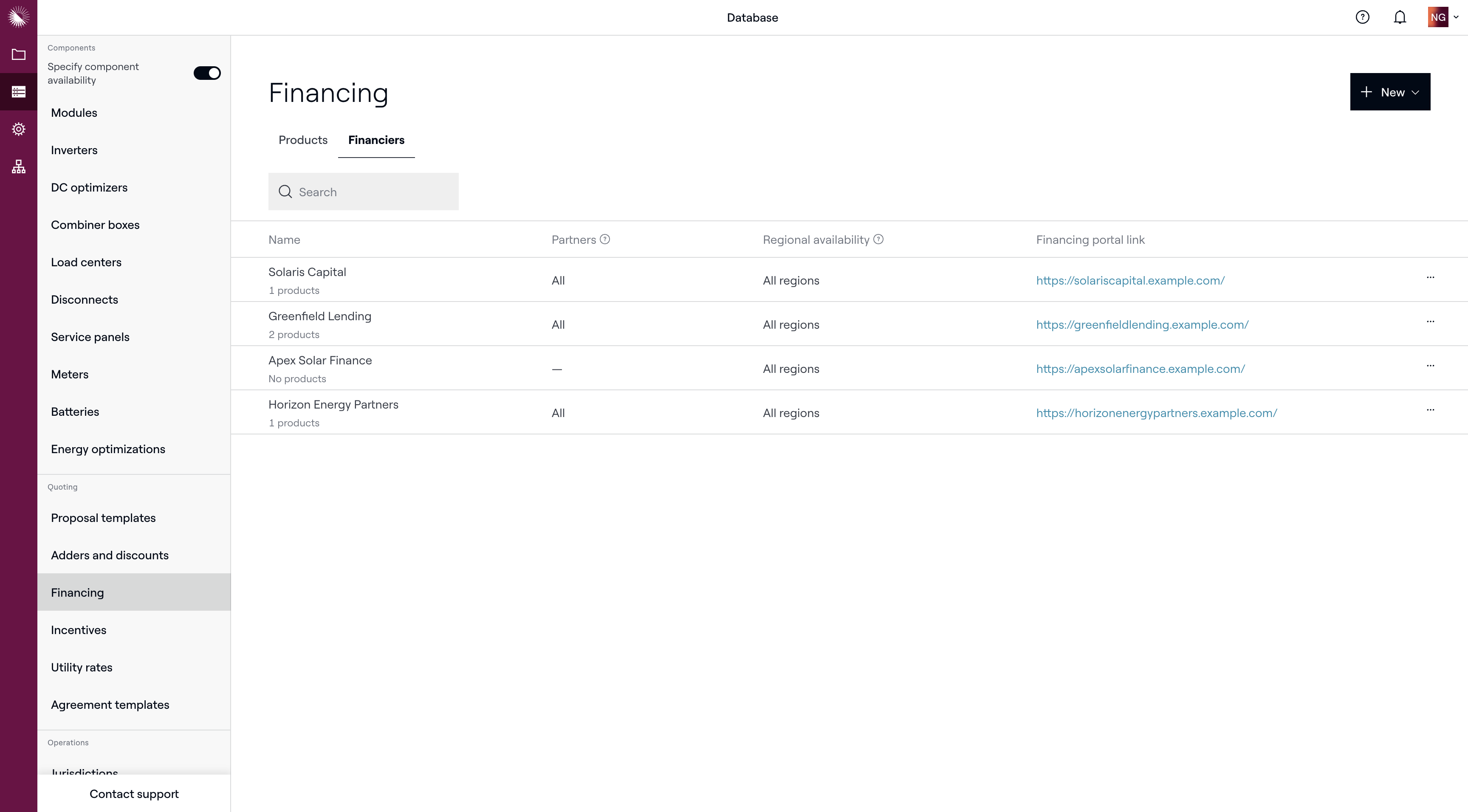
Example custom financiers configured in a tenant’s database
Financing integrations
When using Aurora’s integrations with finance providers, your team can automatically retrieve finance products that a homeowner might qualify for and complete a credit application for the homeowner. For more details, see Pricing and Financing.

Sample product selection from an integrated finance partner